
Audacity 4.0 Arrives: A Qt Rebuild and the Biggest Update in 26 Years
Muse Group's Audacity 4.0 rebuilds the free audio editor on Qt, adds clip editing and the .aup4 format, and leaves a few long-time features behind for now.

On this page
Audacity 4.0 was released publicly on September 3, 2026, and Muse Group is describing it as the largest update in the free audio editor's history. Twenty-six years after Audacity launched in 2000, the application's interface has been rebuilt from the ground up on the Qt framework, its editing model has been rethought around clips, and projects now save in a new format. Audacity remains free, open source and cross-platform, and it remains one of the most widely used audio tools anywhere, with hundreds of millions of downloads behind it.
Related reading: Cloudflare Acquires Deno to Make Workers Self-Hosting · Jellyfin 12.0 drops the 10 prefix, rewrites the library and gets a new look.
It is also a release with visible seams. A set of long-standing features is missing at launch, and the new project format creates a one-way door for anyone who upgrades in the middle of a project. The result is a genuinely modern editor that some existing users should not install yet, at least not for work they need to finish this week.
The interface, rebuilt on Qt
For most of its life, Audacity's interface was built on wxWidgets. Version 4 replaces that front end with Qt, a toolkit that runs natively on Windows, macOS and Linux, and the change is immediately visible. The new rendering path handles high-DPI displays natively, so the interface stays sharp on modern screens instead of blurring or scaling awkwardly.
The bigger gain is configurability. Toolbars and panels can now be moved, docked, floated, shown or hidden, and a layout can be saved as a Workspace. Audacity ships with three built in (Modern, Classic and Music) and users who prefer the old arrangement can switch back to a classic look. Light, dark and high-contrast themes are included, which matters for users in dim studios and for anyone who needs higher contrast to read the screen comfortably.
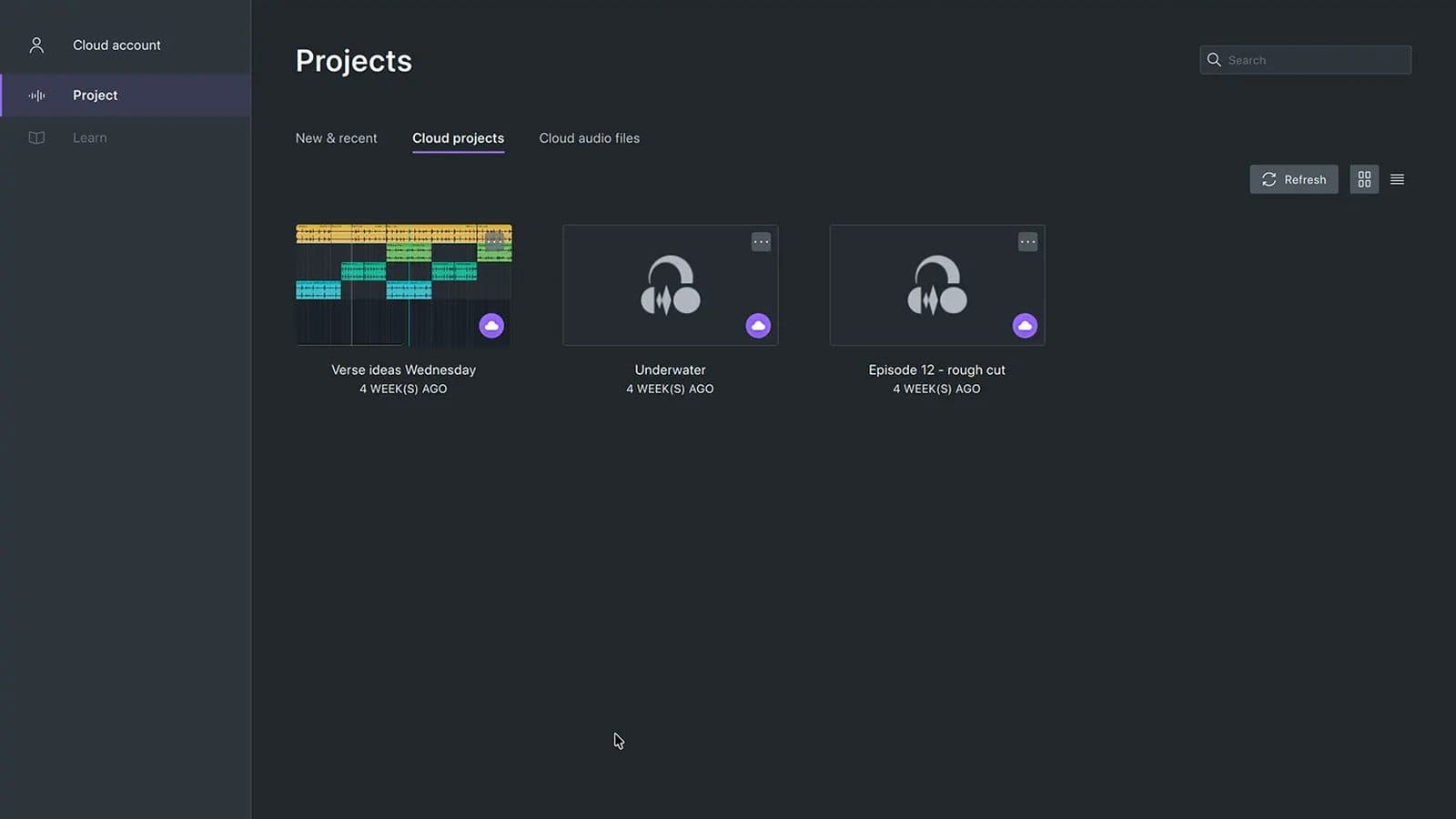
The application also now opens on a home screen that shows recent projects as thumbnails, a small change that makes a large, unfamiliar interface feel less like a blank canvas. The full tour is documented on the official Audacity 4 page.
Clips become first-class objects
The deeper change is in how editing works. In earlier versions, audio clips were largely containers for selections, and many operations began by choosing a tool. In Audacity 4, clips behave like individual objects. You click to select a clip, shift-click to select several, and then move, trim or stretch them together. Clips can be grouped and moved, copied, pasted or duplicated as a unit, which brings the editor closer to the clip-based workflow common in digital audio workstations.
Splitting has been given a dedicated tool. Hold S and click the waveform or the clip header to slice a clip at that point. Other commands split at silent points, cut out a section, or move a selection to a new track. The old separate tool modes (selection, envelope, draw-sample and the multi-tool) have been removed in favour of context-dependent behaviour. Sample drawing, for example, now appears when you zoom in far enough to edit individual samples. Explicit cut, delete and paste commands replace the old Sync-Lock system, which had long been a source of confusion.
For editors who work with spoken audio (interviews, podcasts, field recordings) the shift is more than cosmetic. Treating a clip as a movable, groupable object makes it far easier to rearrange a segment without disturbing the timing of everything around it, and it removes the need to change modes before performing an ordinary edit. The trade-off is that long-time users will have to unlearn muscle memory built over years. Audacity's old modes were idiosyncratic, but they were also predictable, and the new context-dependent behaviour asks users to trust that the right control will appear when they need it.
The .aup4 format and the migration caveat
Audacity 4 saves projects in a new .aup4 format that replaces .aup3. The practical details matter more than the file extension. Audacity 4 opens existing .aup3 projects and converts them, and the original files are left untouched on disk. Even older .aup projects can be imported. The new format stores preview images and additional clip and interface display data, so a project carries more of how it looked when you last worked on it.
The catch is what happens next. After a project is converted, it cannot be saved back to .aup3. Anyone who needs to exchange work with a colleague, client or collaborator who is still on Audacity 3.x should keep a copy in the old format before converting, because there is no path back once the converted project is saved.
Back up before you convert
Audacity 4 leaves the original .aup3 file in place when it converts a project, but the converted version cannot be saved back to .aup3. If a collaborator, client or archive still depends on Audacity 3.x, make a separate copy in the old format first, and keep working on that copy until the whole team has moved.
Not everything made the trip
Muse Group is upfront that some Audacity 3 features are absent from 4.0, saying it is working to bring them back in future releases. Missing at launch are time tracks, MIDI note tracks, the mixer, the macro manager, LADSPA plugin support and Vamp analysers. Some export and rendering features, analysers and effects are also unavailable for now.
That list is not trivial. Macro users who batch-process files, sound designers who depend on LADSPA plugins, and anyone whose work relies on Vamp analysis or MIDI note tracks will find that 4.0 cannot replace their current setup. The good news is that Muse Group has not abandoned them: Audacity 3.7.9, a patch release that added ASIO and FFmpeg 9 support, shipped on September 1, 2026, and remains the maintained 3.x branch for users who need the missing pieces. The company's own warning is the fairest summary, keep a 3.x copy for compatibility work.
The rest of the release
Beyond the interface and the clip model, the update is broad:
- Per-track level meters can monitor input while recording, so you can check signal on the track you are actually recording to rather than hunting for a master meter.
- Reorderable realtime effect stacks are now available per track and on the master, making it easier to audition and rearrange processing without rebuilding a chain.
- A redesigned spectrogram adds clearer guides and rulers and renders faster.
- Audio Setup has been rebuilt, with system-default devices, refreshable device lists and custom channel mapping.
- Official Windows builds now include ASIO support, and FFmpeg 9 support has been added.
- Performance and stability work runs through the release, alongside the rebuilt effects, generators and analysers.
The official changelog and the GitHub release notes carry the full list.
A 26-year-old project under Muse Group
Audacity's age is the subtext of this release. A project that started in 2000 accumulated two decades of habits, workarounds and expectations. Rebuilding the interface on a new toolkit gives the team a modern foundation, but it also means every feature must be re-implemented against that foundation, which is exactly why so many of them are temporarily missing.
Muse Group frames the release as a deliberate reset rather than a repudiation of what exists. "Audacity has been helping creators record and edit audio for more than 25 years, and our goal with version 4 was to prepare it for the next 25," said Julia Sazhina, the company's chief product officer. "We are not changing what creators love about Audacity, but giving it the modern architecture needed to support the intelligent tools and connected workflows of the future."
A rebuild this large is a bet that users will accept a smaller feature set today in exchange for an architecture that can carry the editor for another two decades.
The strategy carries real risk for an open-source project with a conservative, long-tenured user base. Audacity's users are not a monolith: podcasters, musicians, archivists, teachers and researchers all depend on different corners of the application, and the features left behind are precisely the ones that tend to matter most to specialists. Muse Group's decision to keep the 3.x branch maintained softens the blow, but it also splits the user base in two, and time will tell how many of the missing tools return, and how quickly.
There is also a governance dimension that predates this release. Audacity is developed in the open under the GPL v3, and its community has historically been vocal about the direction of the project. A rebuild that prioritises a modern foundation over feature parity is exactly the kind of decision that open-source users debate loudly. The counterargument (the one Muse Group is effectively making) is that a 26-year-old codebase cannot keep absorbing new capabilities indefinitely, and that a hard reset now is cheaper than a slow decline later. Whether that bet pays off depends less on the code than on whether the community believes the missing pieces are genuinely coming back.
Where to get it
Audacity 4.0 is available for Windows, macOS and Linux. The official builds can be downloaded from the Audacity website or GitHub, and Muse Group points users to MuseHub as its official distributor.
Reviews of the release have been broadly positive about the direction while noting the gaps. OMG! Ubuntu called it a new era for a famed editor; MusicRadar described it as the biggest update in the editor's 26-year history; heise online focused on the disappearance of the old tool modes; and 9to5Linux and RouteNote catalogued the new features and the omissions.
What to watch
Three things will determine whether Audacity 4.0 is remembered as a successful reset or a painful one. First, how quickly the missing features return. If time tracks, MIDI note tracks, the mixer, the macro manager and LADSPA support return within a release or two, the reset will read as a clean migration; if the gaps persist for years, a meaningful share of users may never move. Second, whether the new clip model and Workspaces actually improve daily work enough to justify the change, or whether they mostly rearrange familiar controls. Third, what the new Qt foundation is used for. Sazhina's talk of "intelligent tools and connected workflows" points toward AI-assisted features and closer ties to Muse Group's cloud services, an ambition that will please some users and worry others in equal measure.
For now, the sensible advice for most people is simple. If Audacity 3.x does what you need, there is no emergency to upgrade. If you want the modern interface, better meters or the new clip workflow, Audacity 4.0 delivers them, provided you back up your projects and understand that the .aup4 door only swings one way. The biggest update in 26 years is real. So, for a while, are the compromises that made it possible.
Tags

TPW Editorial
Editorial Team
TechPastWeek's editorial team reports and edits every story we publish. We research each piece against primary and credible secondary sources, and a human editor reviews and signs off before it goes live.